
Transfer Role Projection for U.S. Athletes Using DepthChartIQ
Decide a U.S. college transfer with data: use a simple manual minutes method, check NCAA timing, and compare DepthChartIQ probability reports to pick the...
 DepthChartIQ8 min read
Yes, you can build a transfer role projection with real confidence bounds, not just a hopeful guess. The fastest next step is a direct conversation with your current coaching staff about your standing, paired with a quick projection built from roster minutes data or a predictive report. Resources like the NCAA Transfer Portal and a platform such as DepthChartIQ can turn that conversation into a number you can actually plan around.
TL;DR:
- Build a baseline from the program’s average positional minutes over the previous two seasons, then account for incoming competition, scheme fit, and the starter’s workload.
- Division I basketball research found underperformers gained about 2.0 points and 4.6 minutes per game, while overperformers lost 1.9 points and 4.1 minutes.
- Portal timing varies by NCAA division and can affect eligibility timelines and athletics aid, so confirm your notification window with compliance staff before entering.
- Moving up a conference level can shrink projected minutes even when the depth chart appears open; assess that change separately.
- Ask the coach whether limited playing time reflects development or roster structure, then compare forecasts for each program using Success Probability Scores instead of screenshots.
Table of Contents
- What a Transfer Role Projection Means and Why It Matters
- Key Factors That Shape a Transferred Player’s Projected Role
- How to Estimate Projected Minutes: A Manual Method and What Models Add
- How DepthChartIQ Turns Roster Data Into a Usable Projection
- What Research Says About Who Gains and Loses Minutes After Transferring
- Your Action Plan: From Coach Conversation to Final Decision
- A Note From John: Why Data Alone Isn’t the Full Picture
- Get a Quantified Transfer Role Projection With DepthChartIQ Pro
- FAQ
- Sources
What a Transfer Role Projection Means and Why It Matters
A transfer role projection is an estimate of the minutes, starts, and positional role a player will likely receive after moving to a new program. It blends roster math (who else plays your position and how many minutes they already soak up) with context: scheme, coaching tendencies, and depth chart timing. Get it right and you protect scholarship value, development time, and any NIL opportunity tied to visibility on the field or court. Get it wrong and you risk trading a bad situation for a worse one.

Timing matters as much as the math. The NCAA’s transfer guidance lays out division-specific notification windows and portal procedures that affect when you can be contacted by other programs and whether your athletics aid or eligibility timeline shifts. A projection built without checking those windows is incomplete, because the best statistical fit means nothing if the timing locks you out of next season’s roster or costs you a year of aid.
Key Factors That Shape a Transferred Player’s Projected Role
Before you trust any number, gather the inputs that actually drive it. A projection is only as good as the roster detail behind it.
- Position depth: how minutes are currently split among returning players at your spot.
- Your track record: minutes, starts, and role trend over your last two seasons.
- Scheme fit: whether the new staff’s tempo, spacing, or play-calling rewards your skill set.
- Incoming competition: other transfers and recruits arriving at the same position, plus injury history at that spot.
- Scholarship and timing: aid availability and where you stand relative to portal windows.
Pro Tip: Request the new program’s depth chart from the past two seasons before you commit; usage patterns repeat more often than coaches admit.
How to Estimate Projected Minutes: A Manual Method and What Models Add
Start with a manual estimate, then let a model sharpen it.
- Set a baseline: take the average minutes per game at your position over the new program’s last two seasons.
- Adjust for competition: subtract minutes likely to go to incoming transfers or top recruits at your spot.
- Adjust for scheme: add or subtract based on how closely your style matches the staff’s known tendencies.
- Validate: cross-check your number against the departing or current starter’s recent workload.
The common pitfall is the “big fish, little pond” trap: assuming a bigger role at a smaller program is automatically a win, when scheme mismatch can erase that gain. Some predictive platforms report strong outcome accuracy rates, reflecting predictive reliability based on real-time roster data, which gives you a real-time probability layer on top of the manual math, including roster pressure shifts as new commitments change the picture week to week.
How DepthChartIQ Turns Roster Data Into a Usable Projection
The platform aims to replace static scouting reports with data that updates as rosters move. Three outputs matter most for a transfer decision:
- Minutes forecasts that reflect current depth chart math, not last year’s snapshot.
- Success Probability Scores that translate roster fit into a single comparable figure.
- Roster Pressure insights that flag when a new commitment or portal entry changes your likely role.
Because these outputs refresh as rosters change, we reduce the surprise risk that comes with a scouting report written before the transfer window even opened. When you are weighing two programs, we recommend pulling a report for each and comparing Success Probability Scores side by side rather than relying on depth chart screenshots alone. That side-by-side view is often the clearest signal in the entire decision process.
What Research Says About Who Gains and Loses Minutes After Transferring
Outcomes after a transfer split along a predictable line. Research on Division I men’s basketball transfers found that underperformers, players who had been buried on a bench relative to their ability, tended to gain minutes and production after moving, while overperformers, often the best player on a weaker roster, tended to lose both.
- Underperformers saw gains of roughly 2.0 points and 4.6 minutes per game after transferring, according to the same study.
- Overperformers saw declines of roughly 1.9 points and 4.1 minutes per game.
- Conference level at the starting program shifted the size of these swings in both directions.
If you were the clear top option on a struggling roster, temper your expectations. If you were buried behind more talented teammates, the data leans in your favor.
Your Action Plan: From Coach Conversation to Final Decision
Treat this as a four to six week process, not a single weekend decision.
- Week 1: have a direct conversation with your current coaching staff about your role and realistic path forward.
- Week 1-2: pull your own minutes, stats, and film, then check your eligibility status and portal timing against NCAA guidance.
- Week 2-3: run the manual projection method above for each program you are considering, then request a model-based report to compare scenarios.
- Week 3-4: set a decision checkpoint: does the projected minutes uplift justify the scholarship and eligibility risk of moving?
- After deciding: either enter the portal and negotiate aid at the new program, or commit to a development plan if you stay.
Pro Tip: Treat conference-level changes as their own variable. Moving up a level can shrink your projected minutes even when the depth chart looks open.
A Note From John: Why Data Alone Isn’t the Full Picture
A coach’s honest read on your development and a model’s read on roster math answer different questions, and you need both before you move. Numbers tell you what the roster looks like. A coach tells you why you’re not already playing. Run both, then decide.
— John
Get a Quantified Transfer Role Projection With DepthChartIQ Pro
This service is designed to help weigh one program’s depth chart against another with real numbers instead of guesses. A Pro report pairs minutes forecasts with Success Probability Scores and Roster Pressure insights, so you can see how a commitment or portal entry at your position shifts your odds before you sign anything.
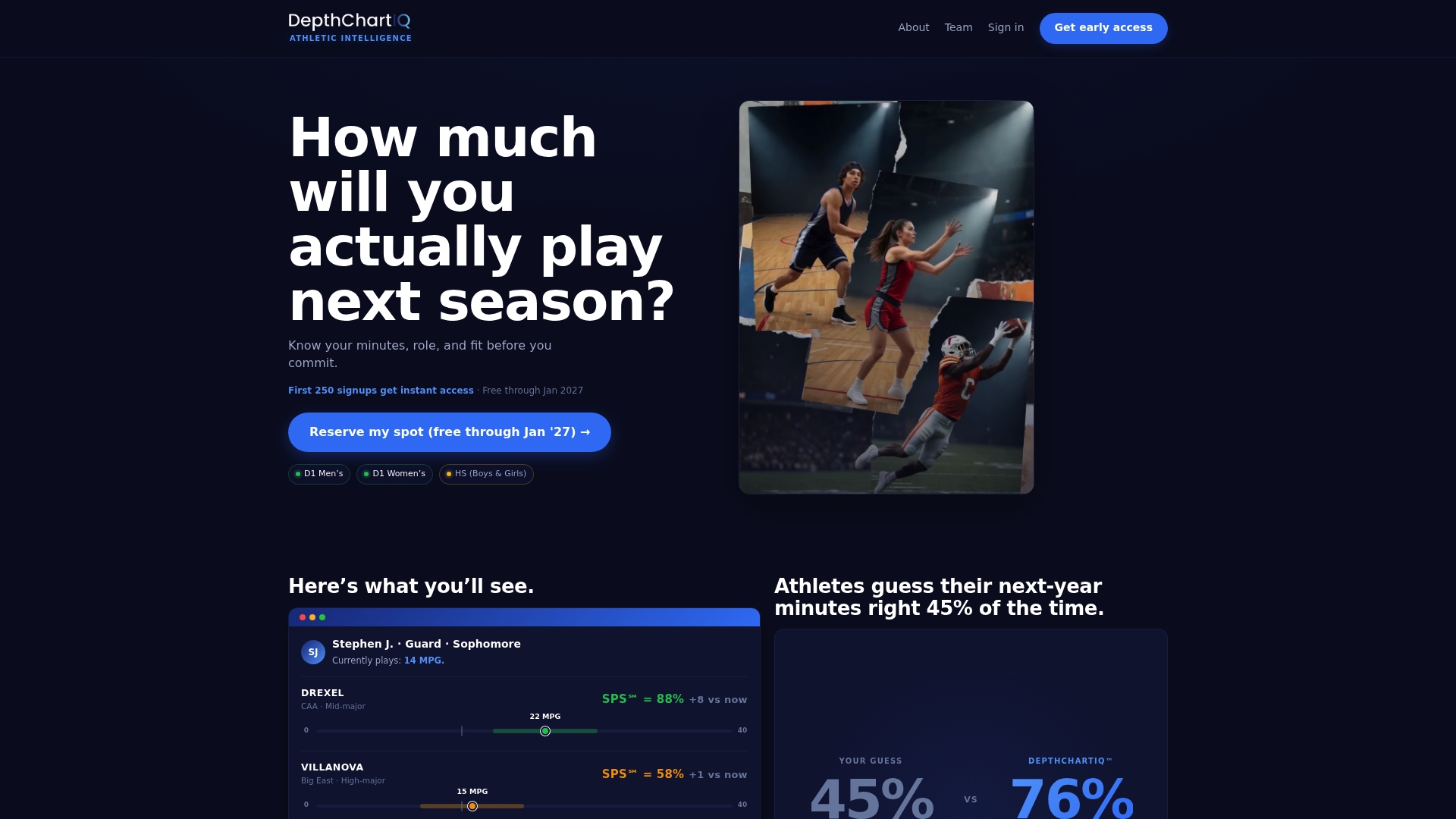
Pair that report with the manual estimate from earlier in this guide and the coach conversation you’ve already had, then compare scenarios across the programs on your list. Start with a projection on the DepthChartIQ Pro page and request a sample report for the position and programs you’re weighing.
FAQ
Can a transfer role projection really predict my playing time?
A projection cannot guarantee exact minutes, but it can narrow the range using roster depth, historical usage, and scheme fit. Research on Division I transfer outcomes shows the direction of change (gain or loss) is often predictable based on your prior role.
Does entering the NCAA transfer portal affect my eligibility or aid?
Yes, entering the portal can affect your athletics aid and eligibility timeline depending on your division and notification window. The NCAA’s transfer guidance recommends checking your specific timing with compliance staff before committing to a move.
Should I talk to my coach before entering the portal?
Yes, a direct conversation with your current staff often clarifies whether a lack of playing time is structural or development-related, which changes how you should project your role elsewhere. Reporting on transfer decisions notes that fit and playing opportunity, not just NIL money, drive most transfer motivations.
How accurate is DepthChartIQ’s role projection?
That figure reflects the platform’s own tracked outcomes rather than a guarantee for any individual case.
What’s the biggest mistake athletes make when projecting a new role?
The most common error is assuming a smaller program automatically means more minutes without checking scheme fit. The “big fish, little pond” pattern in transfer research shows that overperformers on weaker rosters often lose minutes after moving, because the move was about role, not talent.